Free Online Norwegian 4x4 Timer
Start a free, real-time Norwegian 4x4 workout below: warmup, four hard intervals, three active recoveries and cooldown. No account or installation required.
Published June 15, 2026Last updated September 12, 2026By Archline Labs LLCEditorial methodology
Your 40-minute Norwegian 4x4 timer
Warmup
Easy, conversational effort
10-minute warmup → four 4-minute intervals with three 3-minute easy recoveries → 5-minute cooldown. Pause and resume whenever needed.
Keep this tab visible and your screen awake. This visual timer does not read heart rate or play audio. If the browser suspends the tab, the display catches up to elapsed time when you return; refreshing resets it.
Print the one-page workout · Calculate a reference pace
The complete workout, with three recoveries
Work intervals begin at 10:00, 17:00, 24:00 and 31:00 elapsed. The last interval ends at 35:00, followed by five minutes of easy cooldown. There is no extra recovery block after interval four.
Why generic timers are annoying for 4x4s
You can run a 4x4 with a stopwatch, a treadmill timer, or a generic HIIT app. The friction is in the setup and the babysitting:
- You have to program nine phases by hand every time, or count them in your head.
- A generic countdown does not know your heart-rate target, so you are also doing zone math mid-warmup.
- During the hard minutes you end up staring at a screen to catch the next phase change, exactly when you least want to.
- Miss a beep and you drift past the interval or cut a recovery short.
What the Ramp4x4 app adds to the browser timer
Because the Norwegian 4x4 has one fixed structure, a purpose-built timer can take all of that off your plate:
- One-tap setup of the warmup, four intervals, recoveries, and cooldown.
- Target heart-rate zones calculated for you, so the timer knows what "hard" means for your body.
- Phase changes you feel, not just see, so you are not glued to a screen.
- Live heart-rate feedback as a pacing guide through each interval.
- A clean summary afterward, plus history and VO2 max trends over your training block.
On Apple Watch: haptics and phase changes
Ramp4x4 is Apple Watch-first. The watch keeps the current phase, a big countdown, and your live heart-rate zone on your wrist, and it taps you with haptics at every phase change so you know to push or ease off without looking. That matters most during the hard intervals, when reading a screen is the last thing you want to do. There is a dedicated walkthrough on the Apple Watch Norwegian 4x4 timer page.
Live heart-rate target feedback
The Ramp4x4 app is wired to your heart-rate zones, so it shows your live heart rate against the 85 to 95% target during work and the 60 to 70% range on recovery. Heart rate is a guide, not a pass-or-fail line: it lags at the start of each interval, as shown in our workout-by-workout heart-rate data. That is also why the timer stays fixed instead of pausing below target. You can set your zones first with the Norwegian 4x4 heart-rate calculator.
Your summary and share card
After the session, Ramp4x4 shows a clean recap with your Total time, Avg HR, Peak HR, Time above 90% max HR, and distance, plus a heart-rate curve over the whole workout. The shareable card uses the same numbers, so the recap you see in the app is the one you can post.
What Ramp4x4 looks like
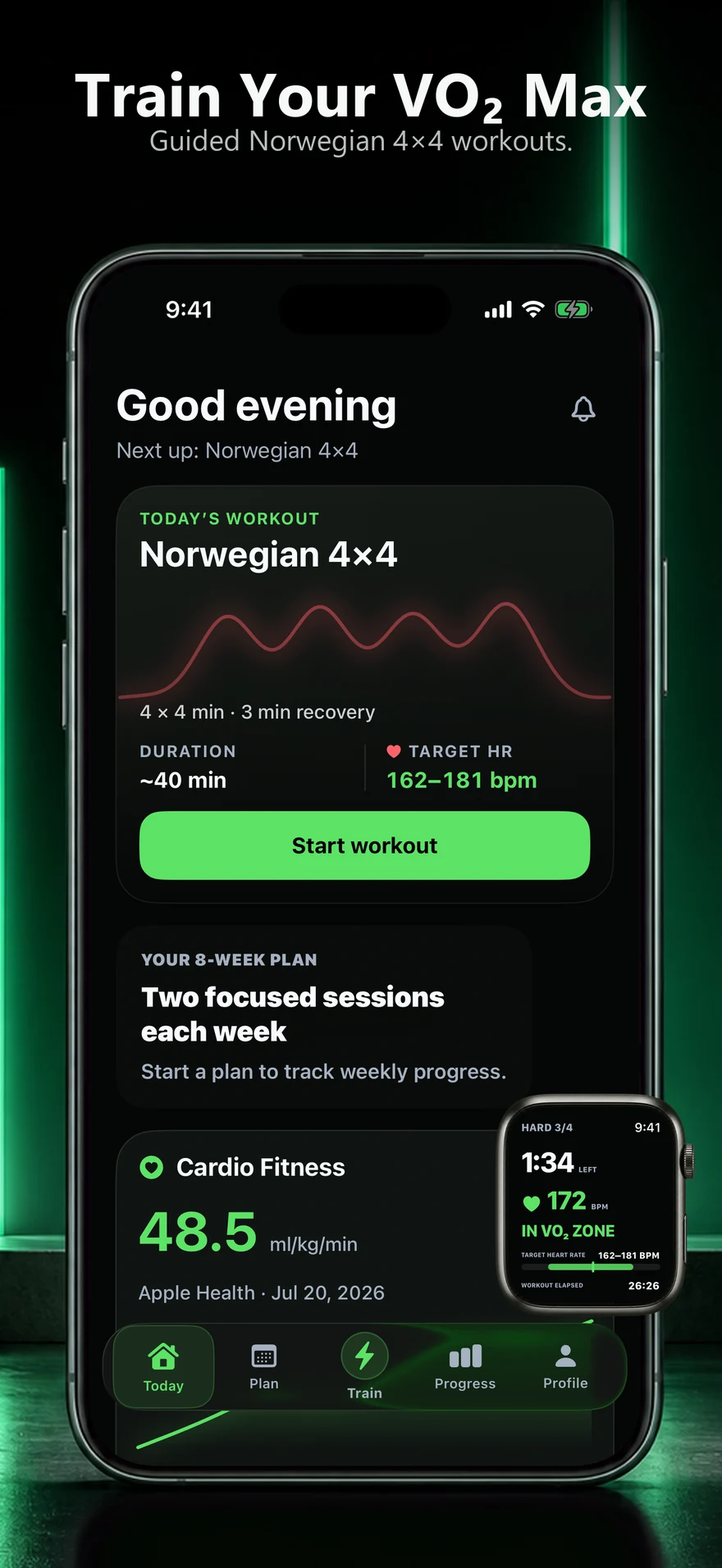
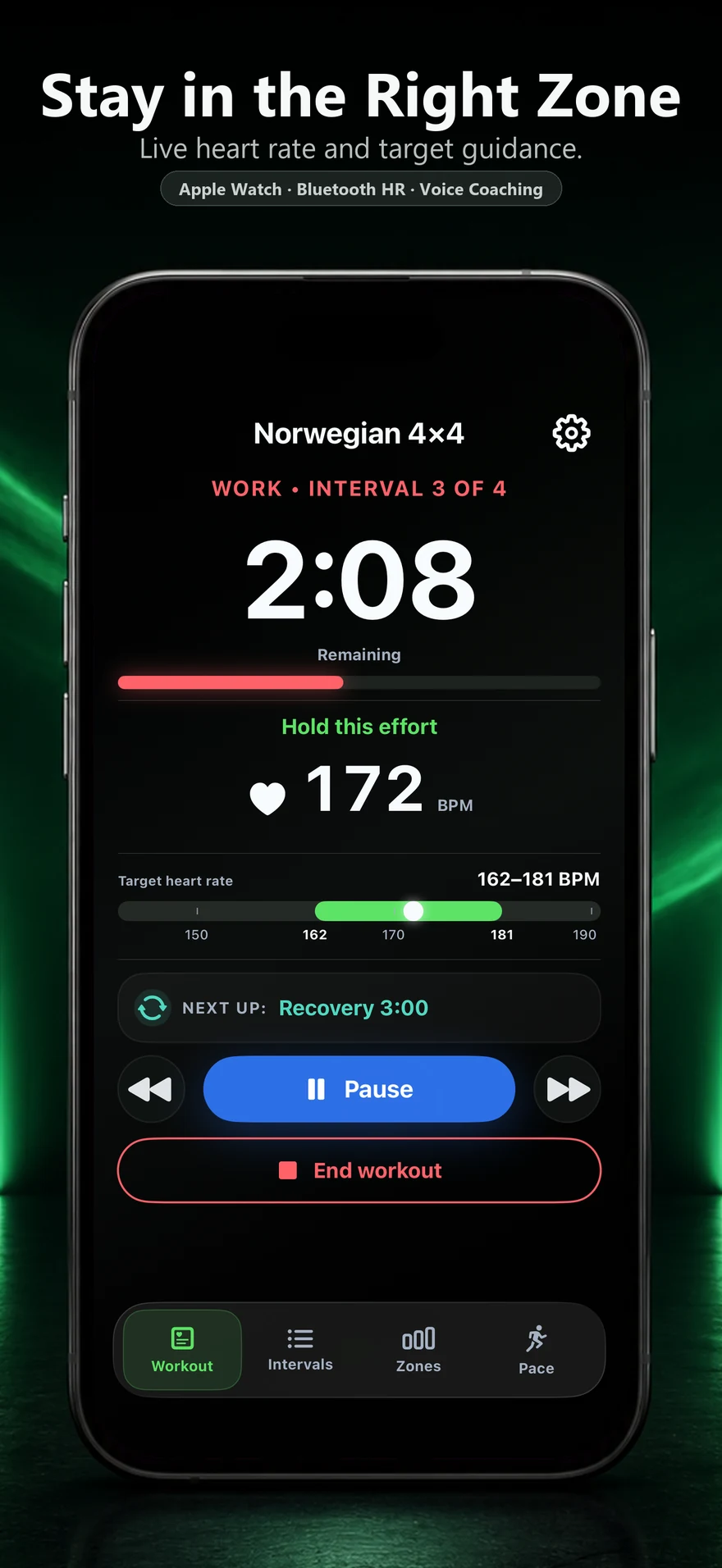
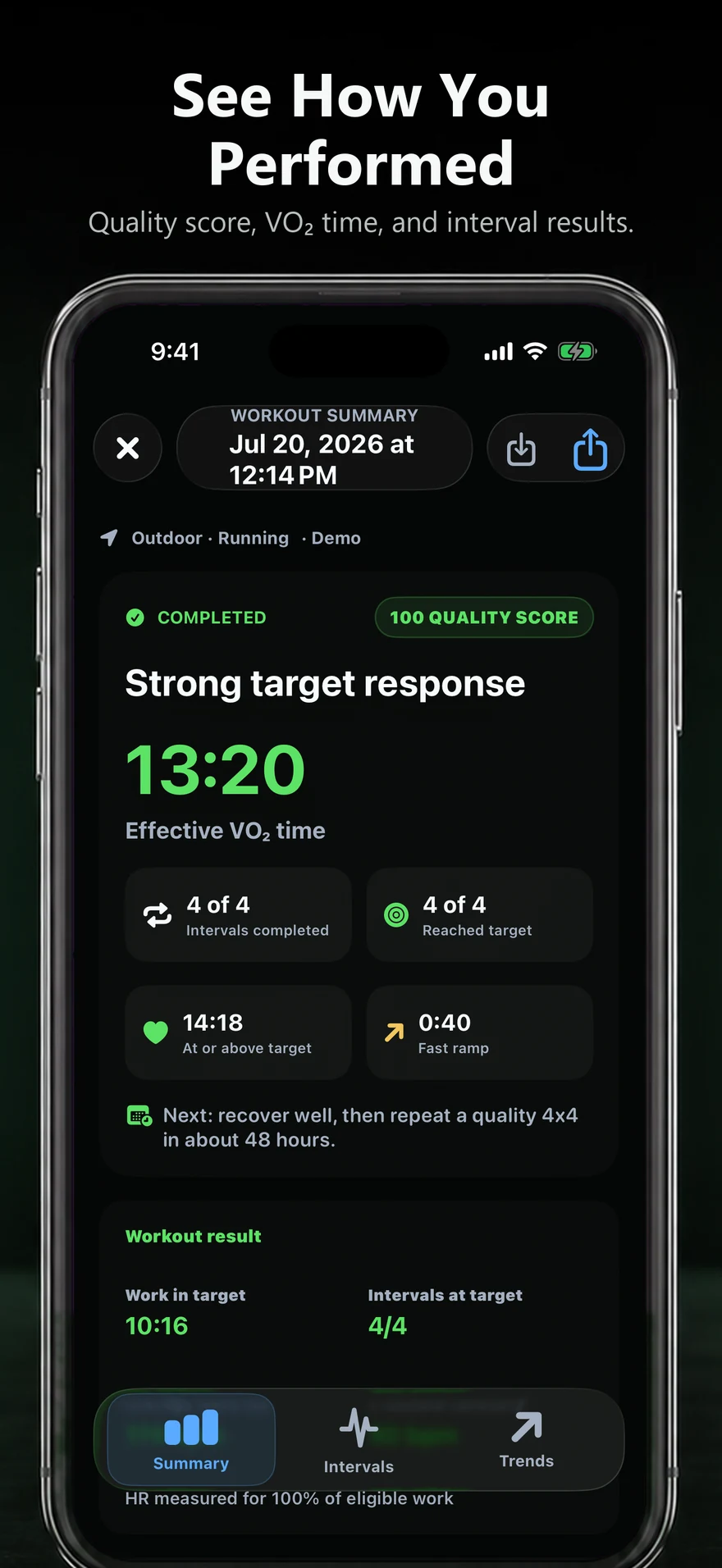
Ramp4x4: your guided Norwegian 4x4 timer
Ramp4x4 is a guided Norwegian 4x4 timer for iPhone and Apple Watch. It calculates target zones, cues every phase, shows live heart-rate feedback, and tracks your progress so you can focus on the workout instead of managing a stopwatch.
Keep going
Timer FAQ
What is the best Norwegian 4x4 timer?
Any interval timer set to 10 minutes of warmup, four 4-minute work intervals with three 3-minute recoveries between them, and 5 minutes of cooldown will run the structure. Ramp4x4 for iPhone and Apple Watch is purpose-built for the Norwegian 4x4 and adds calculated target zones, phase cues, haptics, and live heart-rate feedback so you can focus on the effort.
Can I use a generic interval timer for the 4x4?
Yes, but you have to build the nine phases yourself and then watch the clock and your heart rate at the same time while working hard. A dedicated 4x4 timer sets up the whole session in one tap and cues every phase so you do not have to manage it.
Does the Norwegian 4x4 timer work on Apple Watch?
Yes. Ramp4x4 is Apple Watch-first. The watch shows the current phase, a large countdown, and your live heart rate against the target zone, with haptics and voice cues at every phase change. Workouts save to Apple Health.